
“Hey Copilot”: A Hands-Free Way to Work with Microsoft 365 Copilot
Sometimes the smallest features can make the biggest difference to how we work. One of the latest additions to Microsoft 365 Copilot is voice activation using the phrase “Hey Copilot”, giving people a quicker way to start a conversation with Copilot without opening the app manually.
For anyone who finds typing long prompts a barrier, gets interrupted throughout the working day, or prefers to talk through ideas naturally, this could be a useful step forward.
What Does “Hey Copilot” Do?
Once enabled, you can say “Hey Copilot” on a Windows device to start a voice chat with Copilot. This opens Copilot’s voice experience on screen, so you can ask a question, check your diary, search for information, brainstorm ideas, or talk through a task while staying in the flow of work.
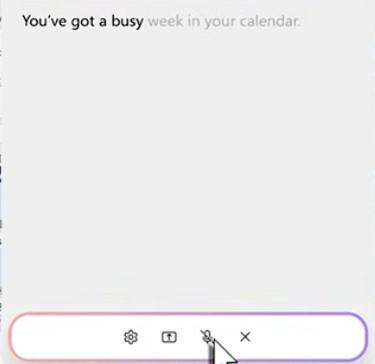
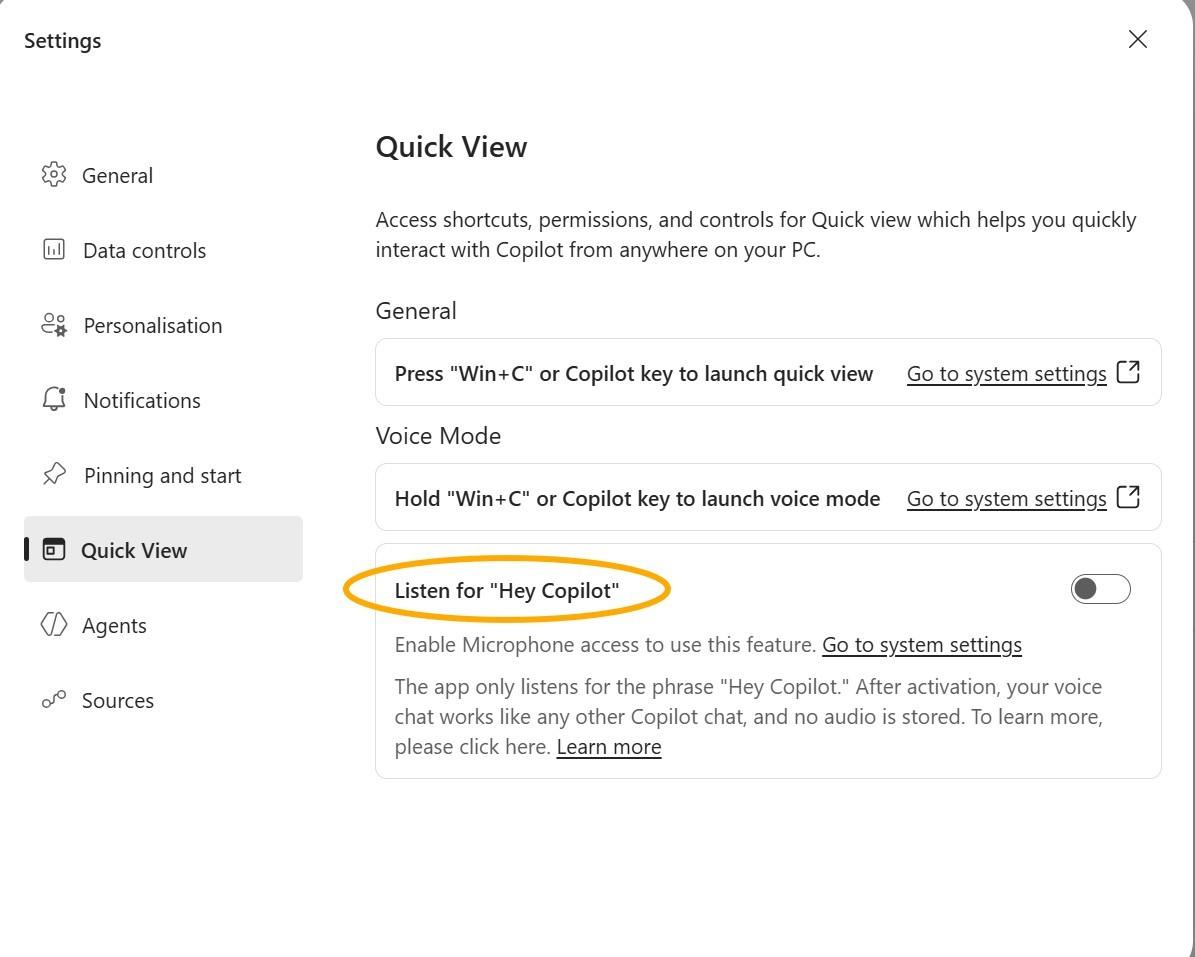
According to Microsoft Support, the feature is switched off by default and needs to be enabled manually in the Microsoft 365 Copilot app. It also requires microphone access, as Copilot listens for the wake phrase before starting a voice chat.
How to turn it on
- Open the Microsoft 365 Copilot desktop app on your Windows device.
- Select Settings.
- Go to Quick View.
- Turn on Listen for “Hey Copilot”.
- Allow microphone access if prompted.
- Once enabled, say “Hey Copilot” to start a new voice chat
Where Could This Help?
- When typing slows you down If you know what you want to ask but do not want to write a full prompt, voice can make Copilot feel more natural. You can simply say what you need and let Copilot respond.
- When you are multitasking, You might be reviewing a document, preparing for a meeting, checking your calendar, or working through emails. Voice activation means you can ask Copilot for help without switching windows or breaking your focus.
- When you need a quick summary Example prompts could include: “What does my diary look like this week?”, “Summarise my upcoming meetings”, or “Help me plan my priorities for today.”
- When you prefer talking things through Some people think better out loud. Voice chat gives them a more conversational way to brainstorm, organise ideas, or ask follow up questions.
Why This Matters
This feature is not just about convenience; it helps reduce friction and helps teams build confidence with AI.
If people can ask for help in the moment, without stopping to find the app or craft the perfect prompt, they are more likely to use Copilot as part of their normal working rhythm.
For more Microsoft 365, Copilot and smarter ways-of-working tips, make sure you’re following iThink 365. Plus, if you’re curious how we can help your team get more from Microsoft 365, we’d be happy to chat.